
Website Conversion Rate: How to Turn Traffic Into Customers
My first SaaS hit 5,000 monthly visitors and I celebrated. Then I checked the numbers. Eleven signups. Three trials. Zero paying customers. I had a traffic problem disguised as a success story.
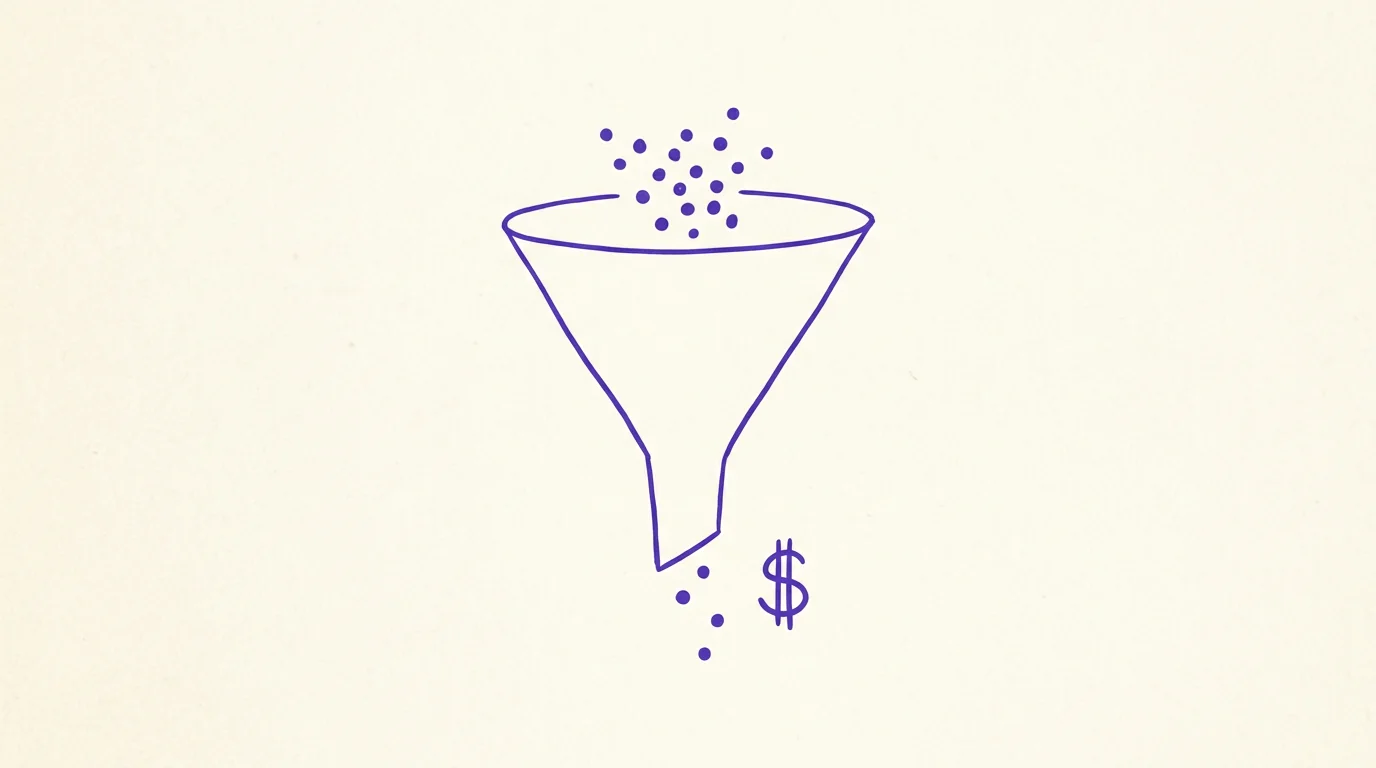
Three years ago, maybe closer to four now, I built this SaaS product. After about six months of grinding on content and SEO we hit 5,000 monthly visitors and I screenshotted the Google Analytics dashboard, posted it on Twitter. Got a bunch of congrats. Felt great about myself.
My co-founder, who has always been the sensible one, looked at the screenshot and went "cool, how many are paying us though?"
I didn't know. Genuinely had not checked. Wild in retrospect. Pulled up Stripe: eleven signups total. Three had started a free trial. Credit cards entered: zero. Five thousand people visited our website that month and we earned nothing from any of them.
Traffic graph going up and to the right. Revenue graph flat on the floor. Classic.
I was celebrating foot traffic. Like a restaurant owner bragging about how many people walk past the window while zero come inside and the kitchen is bleeding money. Bad scene.
That experience rewired something in my brain. I got maybe unhealthily obsessed with what I now consider the most important and most ignored metric in startups: website conversion rate. The gap between "someone shows up" and "someone pays you money." I run into founders constantly who are exactly where I was, excited about their traffic numbers, completely unaware that almost none of it turns into revenue.
Everything below is what I've figured out about closing that gap. Some of it cost me real money and a few rough nights, so you might as well get the benefit without the tuition.
What's a "conversion rate" and why do people define it wrong?
Quick math. People who did the thing you wanted, divided by total visitors, times 100. That's conversion rate.
2,000 visitors, 50 trial signups = 2.5%. Straightforward.
But here's where people get sloppy. There isn't one "conversion rate." There are several, and mixing them up will send you to wrong conclusions.
Visitor to lead means someone gives you their email. That's one rate. Lead to trial, where they stop browsing and actually start using your product, is a different rate. Trial to paid, where they pull out a credit card, is yet another one. And page-level conversion, how a single landing page performs in isolation, is its own thing entirely.
When a founder says "we convert at 3%" I always ask: 3% of what into what? Because visitor-to-lead at 3% is perfectly fine for B2B. Trial-to-paid at 3% means something is seriously wrong with your onboarding. Or your product. Same number. Totally different diagnosis.
Track the rate at every step. Not one blended number. If you're optimizing from a single aggregate figure you'll almost certainly work on the wrong thing, and that's worse than doing nothing because at least doing nothing doesn't cost you three weeks of engineering time.
Average website conversion rates (I hate benchmarks but you probably want them)
I went down a rabbit hole on this, reading Unbounce reports and WordStream data and polling founder communities, because every article I found quoted slightly different numbers. What follows is my best attempt at synthesizing it all. Take it with a massive grain of salt.
E-commerce sites tend to land between 1.5-3.5%. Fashion brands sit at the low end, around 1.5-2%. Food and beverage stores can push 4-5% because people reorder coffee beans and protein bars without thinking about it. If you're on Shopify and converting under 1% something is probably mechanically broken, not just a strategy issue.
SaaS is trickier because there are multiple conversion points. Visitor-to-free-trial runs 3-7%. But the number that actually predicts whether your business will survive, trial-to-paid, ranges from 15-25% for normal opt-in trials and 40-60% for reverse trials where people start with full access. If your opt-in trial-to-paid is under 15% I would bet money it's an onboarding problem. Those people signed up! They were interested enough to create an account! Something broke between "start trial" and "enter credit card."
B2B services land around 2-5% for lead gen pages. Professional services like consulting tend to convert higher because the people searching "fractional CFO for pre-Series A" know exactly what they want when they type that in.
Paid landing pages: median is 2-5%, top 10% get above 11%. If you're under 2% from paid traffic either your ad targeting is off or the landing page is bad. Possibly both.
Now, the thing that annoys me about these benchmarks. They're almost always means, not medians. A handful of outliers converting at 20% pull the average way up and make everyone else feel like they're failing. The real median is lower than what you read in most of these reports.
Honest advice? Stop comparing yourself to industry averages. Track your own conversion rate month to month. Is it going up? Good. That's the only benchmark that matters for your business.
Six things that tank conversion rates
I've done informal site audits for maybe 40 people at this point. Friends, fellow founders, a handful of paid consulting gigs. The same problems come up so reliably I could make a bingo card out of them.
1. It's too slow
Boring answer, I know. But page speed is the number one conversion killer. Nothing else comes close.
Portent's research found that sites loading in 1 second convert at 2.5x the rate of sites loading in 5 seconds. For e-commerce specifically, conversion drops from 3.05% at 1-second load to 0.67% at 4 seconds. I assumed numbers like that were exaggerated marketing until I watched it happen.
My buddy Mike runs an outdoor gear store on Shopify. Converting at 0.8%, which is rough even for e-commerce. We were at a bar and I pulled up his site on my phone over LTE. Sat there counting. Almost seven seconds before the page finished rendering. The culprit was his hero image, this gorgeous mountain panorama shot, except it was a 4.2MB uncompressed PNG. Beautiful to look at. Murder on conversions.
Mike spent the following Saturday compressing images and turning on lazy loading. Nothing else. Same copy, same layout, no trust badges, no CRO consultant. His conversion rate went to 2.1% within two weeks. More than doubled. All from making images smaller.
Here's what people get wrong about testing speed: they load their site on a MacBook Pro connected to gigabit office internet and think "looks fine to me." It does not look fine to your customers. Grab your phone. Go to a coffee shop or just switch to LTE. Load your site on cellular data. That's what actual visitors experience. I promise you it's uglier than you think.
If your site takes more than 3 seconds on a phone, fix speed before you touch anything else.
2. You're asking for their life story on page one
Our signup form had six fields. Name, email, password, company name, role, team size. "We need this for segmentation," I told myself at the time. Sounded reasonable.
Cut it to email and password. Just those two. Signups jumped 34% the following month.
The segmentation data? I collect all of it now during onboarding, after people have already created an account. Turns out they're happy to answer those questions once they've committed. Before signup though, every additional field feels like a toll booth. Like being at the DMV.
There's a rough number that keeps coming up in the research: each extra form field kills something like 3-5% of completions. So when your marketing person asks "hey can we also collect industry and company size?" that's two more fields, 6-10% fewer people finishing the form. For data you could easily get during a 30-second onboarding wizard. I've had this exact argument at three different companies now. The data wins every time.
Anyway. First visit = low commitment. Ask for an email, maybe a password. That should be your ceiling. Everything else happens later, after they've crossed the mental threshold of "okay, I'm trying this product."
3. Your homepage is gibberish to anyone who doesn't already work there
I have a folder on my desktop of confusing homepage screenshots. Weird hobby, I know. Current favorite: "AI-powered synergistic optimization platform for cross-functional workflow enablement."
Showed it to four people. Four different guesses about what the company does. Every single one wrong.
There's this test I picked up from someone, can't remember who. Pull up your homepage, show it to a friend who doesn't work in your industry. Give them five seconds. Close the tab. Then ask: "What do they sell, and who is it for?" If they can't answer both of those, rewrite your above-the-fold copy. Today. Not next sprint.
The highest-converting pages I've come across do something almost embarrassingly simple. Headline describes the customer's problem. Subhead describes the solution. "Spending hours creating invoices? Send professional ones in 60 seconds." That's it. I immediately know what the product does and whether I need it.
Founders overthink this constantly. They want to sound sophisticated or differentiated or "category-defining." Visitors do not care about your positioning strategy. They want one answer: does this solve my problem? You've got five seconds before they hit the back button.
4. Your CTA button says nothing useful
"Submit."
"Learn More."
"Click Here."
I see these on half the sites I look at. They describe a mechanical action instead of telling me what happens next. Think about it: "Submit" versus "Get My Free Report." "Sign Up" versus "Start My 14-Day Trial." "Learn More" versus "See Pricing." The second version in each pair tells me what I'm getting. The first tells me I'll submit... something. To someone. For some reason.
But the copy is only half the problem. Placement might be worse. I was going through Hotjar recordings for a client's site, which is always a humbling exercise, and I watched this one visitor read the page for 45 seconds. Engaged, scrolling at a normal pace, clearly interested. They got about 60% down the page and just... closed the tab. The CTA was near the bottom. This person who was interested enough to read for nearly a minute never even saw the button. We lost them because of where we put it.
After that experience I started putting CTAs in three spots minimum. Above the fold, that one isn't negotiable. After the strongest social proof section. And near the bottom for the completionists who read everything. Make it a contrasting color too, not some tasteful accent that "harmonizes with the brand palette." I mean actually eye-catching. Your designer will push back on this. Show them the conversion numbers before and after, they'll come around.
5. No evidence you're a real business
Let me describe what a lot of startup homepages look like from the outside. No customer logos anywhere. No reviews. No testimonials. No case studies. Nothing. Just claims. "We're the best at X." Cool, says who?
You're asking a stranger to give you their money based on nothing but your own marketing copy. That is a big ask and most people won't do it.
Here's what I've seen actually work:
Customer logos. Helped a client add a "Trusted by" strip with five company logos right below the hero. That's all we did that week. Conversion went up 12%. From adding five little rectangles to a page. Twelve percent. I had to double check the analytics because it seemed too easy.
Real testimonials with specifics. "Great product! - John D." does nothing, nobody buys that. But "We cut reporting from 6 hours to 20 minutes" from "Sarah Chen, Head of Ops at Databox" with her actual headshot? That's a different thing entirely. The specificity is what makes it credible.
Third-party review scores. Sticking "4.8/5 from 340 reviews on G2" on your homepage signals something that your own marketing copy never can: that strangers with no incentive to lie also vouch for you.
Case studies, but only if they have real numbers. Not "we increased their leads." How many leads? From what to what? Over what timeframe? I want data I can at least believe, even if I can't independently verify it.
6. Your traffic is wrong (not your page)
This one really stung.
I was ranking page one for a keyword pulling 3,000 searches per month. Felt incredible. Traffic growing every month. But the conversion rate was atrocious, like sub-0.5%.
Turns out the keyword was informational. College students researching term papers. They were never in a million years going to buy B2B software, but there they were in my analytics, inflating my visitor count and tanking my conversion rate.
Now I check WHO is visiting before I blame the page for anything. Pull up Search Console. Look at your actual search queries. Are they buyer words ("pricing," "best tool for," "compare X vs Y") or research words ("what is," "definition of," "how does X work")? Mostly research queries? Your page isn't broken. Your keyword targeting is.
Another thing: compare bounce rates across traffic sources. My organic was bouncing at 85%. Direct traffic was converting at 5%. People who already knew the brand were happy! The random strangers Google was sending us? Completely wrong audience.
A commercial keyword getting 200 searches a month will generate more revenue than an informational one getting 5,000. Every time. I go deeper on this in our ranking strategy guide.
Stuff you can fix this week (seriously, this week)
Not everything requires a sprint or a planning session. Some of these you can knock out in an afternoon.
Nuke your above-the-fold and rebuild it
The top of your page does like 80% of the conversion work. You need four things up there and nothing else: a headline that names the problem your customer wakes up annoyed about, a subhead explaining your solution in plain language, one CTA button in a color that practically vibrates off the screen, and one trust signal. Customer logos, a review count, "used by 500 teams," whatever you have.
Everything else goes. I am begging you to kill the rotating carousel. I hate those things. I replaced one with a static hero image for a client and bounce rate dropped 18% that same week. Also kill the stock photo of ethnically diverse coworkers high-fiving around a laptop. And the paragraph about founding the company in a garage. And the three different CTA buttons going to three different pages.
One message. One action. That's it.
Exit-intent popups (yes, really)
I know, I know. Popups are annoying. They also work. The key is restraint.
Exit-intent triggers when someone's mouse drifts toward the back button. Typically converts 2-4% of people who were about to bounce. Do the math on that: if 5,000 visitors come through and 95% bounce, that's 4,750 people leaving. Grab 2% of those? 95 new leads you would have lost entirely.
The part that almost everyone screws up is the offer itself. "Subscribe to our newsletter" converts at basically zero because (I say this with genuine affection) nobody wants your newsletter. They landed on your site eight seconds ago. They don't know who you are. But something like "here's the actual spreadsheet I use to track per-page conversion rates" is different. I can picture using that. I'd hand over my email for that.
One popup though. Once per visit. Clean layout. Not the digital version of a friend who double-texts you every time you open your phone.
Speed (the specific fixes)
Already ranted about this above, so I'll just give you the checklist. Convert images to WebP (40-60% smaller, you won't notice any quality difference). Run your pages through PageSpeed Insights to see exactly what's dragging. Turn on browser caching, which on most hosts is literally a checkbox. Go through your JavaScript and remove anything you're not using. I found a client's site once that was loading React, jQuery, AND Bootstrap JS. For a single dropdown menu. Three JavaScript frameworks for a dropdown. On WordPress? Just install WP Super Cache. I've watched that one plugin cut load times in half by itself.
Kill most of your nav items
One site I audited had 14 items in the navigation bar. Fourteen. Mega menus with dropdown trees three levels deep. The founder thought it made the company look "feature-rich." The analytics told a different story: high engagement time, near-zero clicks to any conversion page. Those visitors weren't engaged. They were lost.
Best-converting sites I've seen run four to six nav items. Product, Pricing, About, Blog. Maybe a "Resources" dropdown if you really need it. That's it. If someone can't reach what they need within two clicks they'll leave for a competitor who makes it easier.
The stuff that compounds over time
Quick wins give you a one-time jump. These next things are different. They keep getting better the longer you stick with them because they change the structure of how your site works, not just how it looks.
Stop treating social proof as a section on the page
I made this mistake for two years. Had a "Testimonials" block sitting about 70% of the way down my homepage. Checked scroll depth one day: maybe 30% of visitors ever got that far. Most people scrolled right past.
What actually moved numbers was breaking those testimonials apart and distributing them. Quote from a customer about fast onboarding? Put it right next to the "get started in 5 minutes" claim. Quote about time savings? Right beside the productivity feature description. Now each testimonial acts as evidence for whatever the visitor is reading at that exact moment. Way more convincing than a dedicated testimonials section that nobody scrolls down to find.
Side note: automate your review collection. I have a Zapier automation that emails customers 10 days after they upgrade and asks for a review. Also keep them current. Testimonials from 2021 on a site in 2026 make people wonder if you're still in business.
Build separate landing pages for each audience
If you're selling to both startups and enterprise and sending both to the same page you're making things unnecessarily hard. A startup founder wants to see pricing and a free trial button. An enterprise buyer wants SOC 2 documentation and a way to book a demo call. Same product but completely different concerns. Even doing this crudely, like two or three audience-specific pages, has lifted conversion 15-30% on projects I've worked on.
Mobile (for real this time, not just responsive CSS)
Your mobile conversion rate is almost certainly way worse than desktop. Industry-wide desktop converts at roughly 3.9% versus 1.8% on mobile, despite mobile driving 62-64% of all traffic. Mine was literally half. Which means I was losing most of my potential customers on the device most of them were using. That's a rough thing to discover.
Pull out your actual phone, not Chrome's device emulator, and walk through your entire purchase funnel from start to finish. You'll find tiny tap targets, forms that scroll horizontally, popups you can't close, CTAs buried below three screens of text. Fix all of it. Every single thing.
Domain authority is a conversion lever disguised as an SEO tactic
Most people put this in the "SEO" bucket and then forget about it. But your domain authority affects conversion directly, in ways that aren't obvious.
Think about what happens when a potential customer first hears about you. They do what everyone does: open a new tab, type your brand name into Google. If all that comes up is your own website and nothing else? That looks thin. That looks like maybe you're not real. But if they see you referenced on Wikipedia, people talking about you in a Reddit thread, your CEO quoted in Forbes? Completely different story. They haven't even clicked through to your site yet and they're already halfway to trusting you.
This matters even more now that people are using AI to search. When someone asks ChatGPT or Perplexity "what's the best tool for [your category]," your backlink profile actually influences whether those models mention you in the answer. I tested this with a few of our clients' brands and the correlation is hard to ignore.
I wrote more about how authority connects to rankings in our guide to building backlinks.
This is what Revised does. We verify expired domains that already have editorial links from places like Wikipedia, Reddit, Hacker News, and major news publications, then sell them to you outright. You redirect that link equity to your domain. No cold emails, no buying guest post placements, no link farms. Just real authority that already exists on the web, now yours to reroute.
Why does this help conversion specifically? Two reasons. One, you start ranking for buyer-intent keywords instead of attracting college students who will never purchase anything. Two, when actual potential buyers Google your brand before deciding whether to pay (and they will Google you, almost everyone does), they find you mentioned in places they trust. Better traffic coming in, more trust when they arrive. Both feed directly into a higher website conversion rate.
Getting measurement right (don't skip this part)
I'm burying this near the end because I know most readers skim past anything with the word "analytics" in it. Don't. I wasted months making decisions based on bad data. Months. Getting measurement wrong doesn't just slow you down, it actively sends you in the wrong direction.
What I track on every project
GA4 is free and it handles like 90% of what you actually need. (If you haven't set it up yet, our GA4 beginner guide covers the full setup.) Here's what I wire up immediately:
First: track the individual steps in your funnel, not just whether someone converted at the end. Everybody sets up a "purchased" or "signed up" event in GA4. Almost nobody bothers tracking what happens before that. Did the person view your pricing page? Did they click "Start Trial"? Did they get to the payment form? Did they start entering card info and then bail?
Each gap between those steps is a separate problem you can actually diagnose. I noticed at one point that 60% of visitors who landed on my pricing page never clicked the trial button. That's a specific signal. Maybe my pricing tiers were confusing (they were). Maybe the CTA wasn't visible without scrolling (also true). Maybe the page took too long to load, which, yes, speed again. The point is I didn't have to guess. I could see exactly where people dropped off and go fix that specific thing.
Second: figure out which traffic source actually converts best, because it's probably not the one sending you the most visitors. I had this wrong for over a year. Organic was 70% of my total traffic so I just assumed it was my best channel. It wasn't even close. When I finally looked at conversion rates broken down by source, organic was converting at 0.8%. Referral traffic? Only 5% of volume but converting at 6.2%. I'd been spending most of my time on blog posts and SEO when I should have been working on partnerships. Felt pretty stupid honestly. Ten minutes of looking at a GA4 report would have saved me a year of misallocated effort.
Testing when you don't get enough traffic to A/B test properly
Under 10k monthly visits? Formal A/B testing is basically theater. You'll wait three weeks for statistical significance and the result will come back "inconclusive." I gave up on it for my own site and switched to what I call sequential testing. Change one thing. Wait two weeks. Compare to the previous two weeks. It's less rigorous, I know. But it's how I got from 1.1% to 2.3% conversion over about four months.
Order I'd test things in: headline first, always. The words at the top of the page probably account for half your conversion rate. Then CTA copy and placement. Then social proof positioning. Then form fields. Then page layout. That sequence has worked for me across multiple projects.
Sitewide averages are useless
A blended 2% conversion rate across your whole site tells you basically nothing useful. Your pricing page might be converting at 8% while your blog converts at 0.1%, and the average hides both of those numbers. Break it out per page. The page that gets the most traffic and converts the worst is where the money is hiding.
Mistakes that cost me actual money
I rebuilt my website from scratch twice. Both times I convinced myself this would be the thing that fixed conversion. Both times: months of work, barely measurable improvement. The boring stuff worked. Changing a headline on a Tuesday afternoon. Dropping in five customer logos. Killing three form fields. An afternoon of targeted changes versus a three-month redesign, and the afternoon won every single time. We keep falling for redesigns though because they feel more "strategic." I certainly did.
Then there was the time I recreated a competitor's high-converting page layout almost exactly. Pixel for pixel, basically. My version converted at 1.4%. Theirs worked because they'd spent three years earning brand trust, not because of how their page was laid out. Felt dumb when I realized. You can borrow layout principles from competitors. You cannot borrow their reputation.
Oh, and this one still stings: changed a landing page, signups jumped 40%, the whole team celebrated. Champagne emoji in Slack and everything. Then trial-to-paid cratered from 12% to 4%. The shinier page was attracting tire-kickers, not buyers. Net revenue actually went down. Now I refuse to celebrate any metric that doesn't eventually show up in the bank account.
Probably my most expensive lesson though. I burned an entire quarter running headline tests and button color experiments. Orange vs green. "Start free" vs "Try it now." Mostly inconclusive, all of it. Then on a whim I called five actual customers and asked what almost stopped them from signing up. Three of them, independently, said the exact same thing: "I couldn't tell if it worked with Slack." One sentence of copy. Added it to the landing page in five minutes. That single line outperformed three months of A/B tests. I wish someone had told me to just pick up the phone first.
My 30-day playbook
If I had to start from zero on a site I'd never seen before, here's roughly how I'd spend the first month. Not a rigid schedule, just the order that's worked for me across a handful of projects.
First week is pure diagnosis. Don't change anything yet. Install Hotjar or Microsoft Clarity (both free), then actually sit down and watch 20 session recordings. Take notes while you watch, not after. Run PageSpeed Insights on whatever pages get the most traffic. Walk through your entire purchase flow on your phone, on cellular, not wifi. And call three customers, real phone calls, and ask them what almost made them not buy.
Week two is when you start fixing stuff, but only the easy things. Image compression, caching, removing unused JavaScript. Rewrite whatever's at the top of your most important page: problem headline, solution subhead, one CTA, one trust signal. Chop your signup form down to two fields if possible. Trim navigation to five or six items max. All of this can happen in a few focused afternoons.
Week three, targeting. This is where I'd build at least one landing page tailored to a specific audience segment (two if I had the time). Put up an exit-intent popup with something actually useful to download. Go through every screen of the mobile experience and fix whatever's broken. And take your best customer quotes and distribute them next to the specific claims they support instead of leaving them all in a testimonials ghetto at the bottom of the page.
Last week of the month is systems. The stuff that runs without you. Set up automated review requests (I use Zapier for this but whatever tool works). Decide what you'll test over the next quarter and write it down somewhere. Make a spreadsheet for per-page conversion tracking because the sitewide average is useless. And start putting effort into building your site's authority through quality backlinks. I keep calling this a conversion lever in SEO clothing because that's genuinely what it is.
The napkin math that changed how I think about all of this
Back when I was spending $2k/month on ads driving 5,000 visitors. At 1% conversion that's 50 customers. $40 to acquire each one.
I turned off all the ad spend for two months. Didn't touch acquisition at all (if you want to know which channels actually return money, I ranked them in our small business marketing strategies guide). Just worked on conversion using basically everything I've described above. Conversion crept from 1% to a bit over 2%.
Same 5,000 visitors. But now 100 customers instead of 50. I cut my CPA in half and doubled revenue without spending a single extra dollar on getting people to the site.
I talk to founders all the time who have this completely backwards. They're spending $5k/month driving traffic to a page that converts at 0.6% and their answer to "we're not making enough money" is... buy more traffic. You're pouring water into a bucket with a hole in the bottom and your solution is a bigger hose. I know because I did it too, for longer than I'd like to admit.
So here's my ask. One thing. Open your analytics right now, find your highest-traffic page, check its conversion rate. I would genuinely bet you a beer that number is worse than you expect. And fixing it, even getting it up by half a percent, will outperform any amount of new traffic you could buy.
Go check. I'll wait.